
Accessing to an digital casino account should feel standard, but it’s where most security actions get taken. On the malinacasino login and registration page for Australia-based users, I expect a straightforward route: set up an profile, validate my ID, then return safely. The screen isn’t just a login and password area. It’s the gateway to profile restoration, identity checks, and security notices. I’ll explain the account creation steps, the documents I’d expect to provide, how to sign in safely, and how to address typical entry errors without cutting corners.
Which Malina Casino Sign-In Page Addresses for Aussie Players
The Malina Casino sign-in page handles two distinct paths: current players logging in and fresh Australian users creating an account. I handle them separately. Registration gathers identity details; login should only ask for credentials and, if turned on, a two-factor authentication. The page also links to password reset and account-help choices. Before I enter anything, I check that I’m on the real Malina Casino site and that the connection is safe. A legitimate login page should not request excessive personal information, like a entire document transfer before I’ve even registered.
For Australian customers, the page should render the next step obvious. If I already have an account, I expect a login form with email or username and password fields, plus a prominent forgotten-password button. If I’m registering, I look for a registration button that opens a form with clear terms. I also seek support contact info and responsible gambling resources. Those are indicators the page is part of a regulated operator’s larger account system, not a separate form. If any of those components are not present or appear wrong, I pause and confirm the site through authorised channels before proceeding.
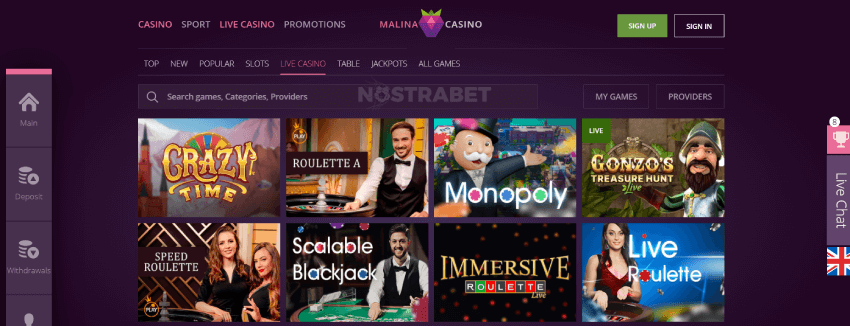
Steps to Sign In Safely to Your Malina Casino Account
Initial sign-in checklist
When I sign in to Malina Casino, I treat the login page as a security checkpoint. I access the official site directly rather than clicking a link in an unsolicited email or message. I confirm that the page uses HTTPS and that the domain is correct before I enter my credentials. On a shared or public device, I use a private browsing session and sign out completely once I finish. I do not let a browser save my casino password on a device others can access. On my first sign-in, I also examine my profile, verification status, login alerts, and deposit limits before I deposit.
Recognising a genuine login page
I recognise a genuine login page by its consistency. The branding, support links, and legal information should correspond to the official Malina Casino site. I’m careful if the page asks for my password by email, requests a one-time code in a chat message, or pushes me to act within minutes. I do not enter my credentials on a page that opened from a pop-up or a shortened link. If I’m doubtful, I navigate to the site manually and use the login option there. When in doubt, I contact support through the official channel and ask them to confirm the page.
Identity Checks and Verification Documents Necessary
Typical Documents Requested
KYC verification, commonly known as KYC, is the part of the onboarding experience that players from Australia may encounter despite the fact that the operator lets them log in first. I consider verification as a standard security measure rather than a barrier. Malina Casino may ask for a photographic ID, for example a passport or a driver’s license, along with an address verification like an electricity bill or an account statement. Such documents typically must be valid, display my legal name, plus correspond with my registered details. I consult the official website or helpdesk for the definitive list prior to uploading any documents.
How long verification takes
The precise document requirements might change based on the account and usage, but I get ready for the standard demands. For ID verification, I provide a clear color photo or scanned copy of the photograph page and any visible edges. For proof of address, I use a statement dated within the casino’s allowable timeframe, typically being the previous three months. If I utilize a transaction method not registered to me, I foresee further scrutiny. For bigger deposits or cashouts, the casino may also ask for a funds source verification. The verification process duration depends on document quality and queue volume, therefore I monitor the progress through the official portal and contact support if it hasn’t changed following the indicated period.
2FA and Further Security Protocols
Enabling 2FA
Two-factor authentication provides a second step beyond my password, typically a code from an authenticator app or a message delivered to my phone. Where Malina Casino offers 2FA active, I turn on it prior to I fund or keep payment details. The extra step is a small inconvenience relative to the risk of someone accessing my account. I save backup codes apart from my phone, and I never share one-time codes with anyone, even someone who claims to be from support. If I switch my phone number, I modify the account security settings immediately.
Active session and hardware hygiene

I additionally manage the sessions and devices associated to my account. If the account settings indicate active sessions, I check them and disconnect of devices I fail to identify. I steer clear of logging in through public Wi-Fi except if I’m relying on a trusted connection, and I ensure my browser and operating system current. the full details On mobile, I employ the device lock screen and avoid rooted or jailbroken devices for banking or casino logins. If I lose a device, I reset my password and cancel sessions from an alternate device as soon as possible. These steps lower the chance of a stolen session being reused.
Qualification and Account Conditions Prior to You Enroll
Before I enroll at Malina Casino, I confirm that I meet the operator’s qualification rules. In Australia, that begins with being at least 18 years old, but age is only one criterion. I also check whether online casino services are permitted where I am located and whether Malina Casino admits players from my state or territory. The registration form will generally ask for my legal name, date of birth, country, and contact email, so I keep those details ready. I avoid nicknames or shared email addresses, because incorrect details can cause verification delays later.
I also check the account rules before I set up a login. Most online casinos enable one account per person, so I skip setting up a second account if I’ve misplaced my password. Registration and login are normally free; any costs arise from deposits, withdrawals, or currency conversion, and those should be explained in the cashier and terms. I read the terms around identity checks, deposit limits, and account closure. I note the minimum deposit and withdrawal rules, too, because those influence how I operate the account once it’s open. If anything is confusing, I get in touch with support before registering rather than after I’ve sent documents.
Complete Malina Casino Registration for Australia-Based Users
Establishing your login details
The registration flow should be brief enough to accomplish in one sitting, but thorough enough to meet identity checks. I access the official Malina Casino page, choose the registration option, and review the form before entering it in. I provide my legal name, date of birth, email address, and country exactly as they are listed on my ID. I then establish a password that is exclusive to this account. I steer clear of reusing a password from email, social media, or another casino, because a breach on one site shouldn’t place my Malina Casino account at risk.
Confirming your email and profile
After I file the registration form, I expect a confirmation email or an on-screen prompt. I open the email from the official domain and use the verification link, then log in to complete any missing profile details. If the page requests for a phone number, I provide a number I control and can reach immediately. I never skip profile fields, because incomplete details often cause a manual review when I first try to withdraw. Once the profile is fully filled, I review login alerts, two-factor authentication, and deposit limits before I make a deposit.
Password Recovery and Access Troubleshooting
If I can’t sign in, I use the password reset link on the official access page rather than trying multiple guesses. The recovery flow usually sends a reset link or token to the email address or phone number on the account. I inspect the spam and promotions folders, ensure I’m using the registered email I registered with, and ensure the link remains active. I set up a new password that I never used elsewhere. If the password reset message is not received, I delay before asking for a new one, because multiple requests can invalidate earlier links.
If my password is valid but I still can’t access my account, I verify whether the account is locked, suspended, or under review. I examine the on-screen message thoroughly instead of refreshing over and over. A frequent reason is a verification failure or a mismatch between my sign-in information and my ID. I reach out to support with the exact error message, the mailbox on the account, and the time of my previous successful access. I avoid sending my password or a temporary code to support. Genuine support agents don’t need those data to assist me in recovering access.
Frequent Login and Registration Difficulties, and My Solutions
Account creation issues
Sign-up issues commonly arise from small mismatches. If the form says my email is already registered, I employ the password recovery option instead of creating a second account. If it rejects my date of birth, I verify the format and ensure I meet the minimum age. If it doesn’t accept my country, I halt and check whether Malina Casino accepts Australian users from my location. I also check that I haven’t used a nickname or a different spelling of my legal name. Correcting those details before submission is easier than fixing them after verification begins.
Login errors and help
Sign-in issues are often resulting from autofill, caps lock, or an old password saved in the browser. I input the password manually or show it briefly to inspect for typos, then remove the saved password if it persists filling the wrong one. If the page opens but doesn’t respond, I try a different browser or clear the cache. I also confirm whether a VPN is changing my apparent location, because that can cause a security block. If the error suggests a locked account or verification issue, I reach support through the official site with my account email, the time, and a screenshot.
Overseeing Your Account Securely After Sign-In
After I sign in, I don’t consider security as complete. I examine my account activity, check that my deposit limits and session reminders still align with what I planned, and update my password if I have any reason to believe it was leaked. I ensure my contact details accurate so that login alerts and recovery messages arrive at me. I also steer clear of leaving the account open on a shared screen. If I take a break from playing, I utilize the account’s cool-off or self-exclusion tools where available, and I sign out completely rather than relying on a browser tab.
The secure sign-in process forms a routine I perform: verify the page, employ a unique password, hold two-factor authentication active, and log out when I finish. I also keep a simple record of the email address and recovery phone number linked to the account, without saving my password in plain text. If I notice a login alert I didn’t cause, I update my password immediately and examine active sessions. I handle support requests cautiously and only rely on contact details provided on the official site. That routine keeps access consistent without making it simple for someone else to copy.